
 TAUBER Agent Status & Configuration Solution
With BMC Helix Operations Manager we loose almost all Tools to drill down into BMC PATROL Agent internals like Agent Namespace and Configuration. And in most Datacenter Environments connecting to the Operating System running the PATROL Agent is not allowed because if Security reasons.
With the TAUBER Agent Status & Configuration Solution you regain access to your BMC PATROL Agent internal Data. Explore the PATROL Agent Namespace including PATROL Text Parameter data. Show and Modify all Parts of the AgentSetup and simply Search the PATROL Agent Error Logs. Run Commands on the PATROL Agent from the Command Runner, use the Shell to run Commands and get a quick Overview of the Server and Agent Performance in the Cockpit. Finally use the Dashboard Designer to create, save and view Dashboards based on all Parameters of the local Agent also in automatically updating Live Mode.
TAUBER Agent Status & Configuration Solution is provided as a BMC PATROL Solution File containing the a PATROL KM and the Webserver executable. Create a Monitor Policy to start and configure the Webserver and start connecting to the values of your Agent Data!
Solution Value
- Get Access to Agent Namespace + Text Parameters, AgentSetup, Agent Logfile, Run predefined Commands, Use the Shell and the Cokpit and create and view Dashboards
- Flexible and secure Access using Authentication and / or HTTPS
- Nearly no impact when not used
- Simple configuration through BHOM Monitor Policy
- Role based access with Admin, Operator and Viewer Role
Supported Platforms
- BMC Helix Operations Manager > 22.x
- BMC PATROL Agent > 11.x
Read more about TAUBER Agent Status & Configuration Solution in the current PDF Manual by clicking here!.
Click here to go to the Download page and download a Trial version of the Integration!
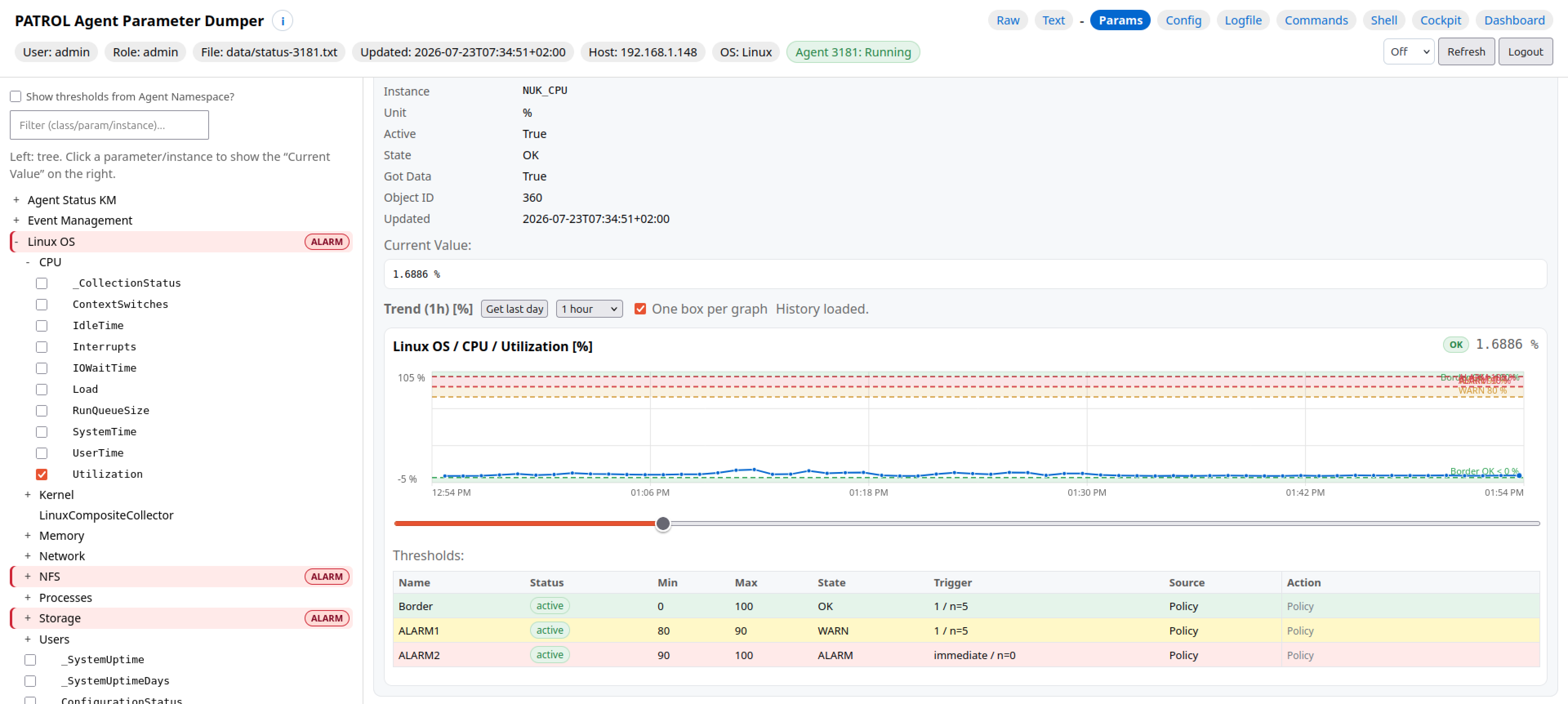
PATROL Agent Namespace
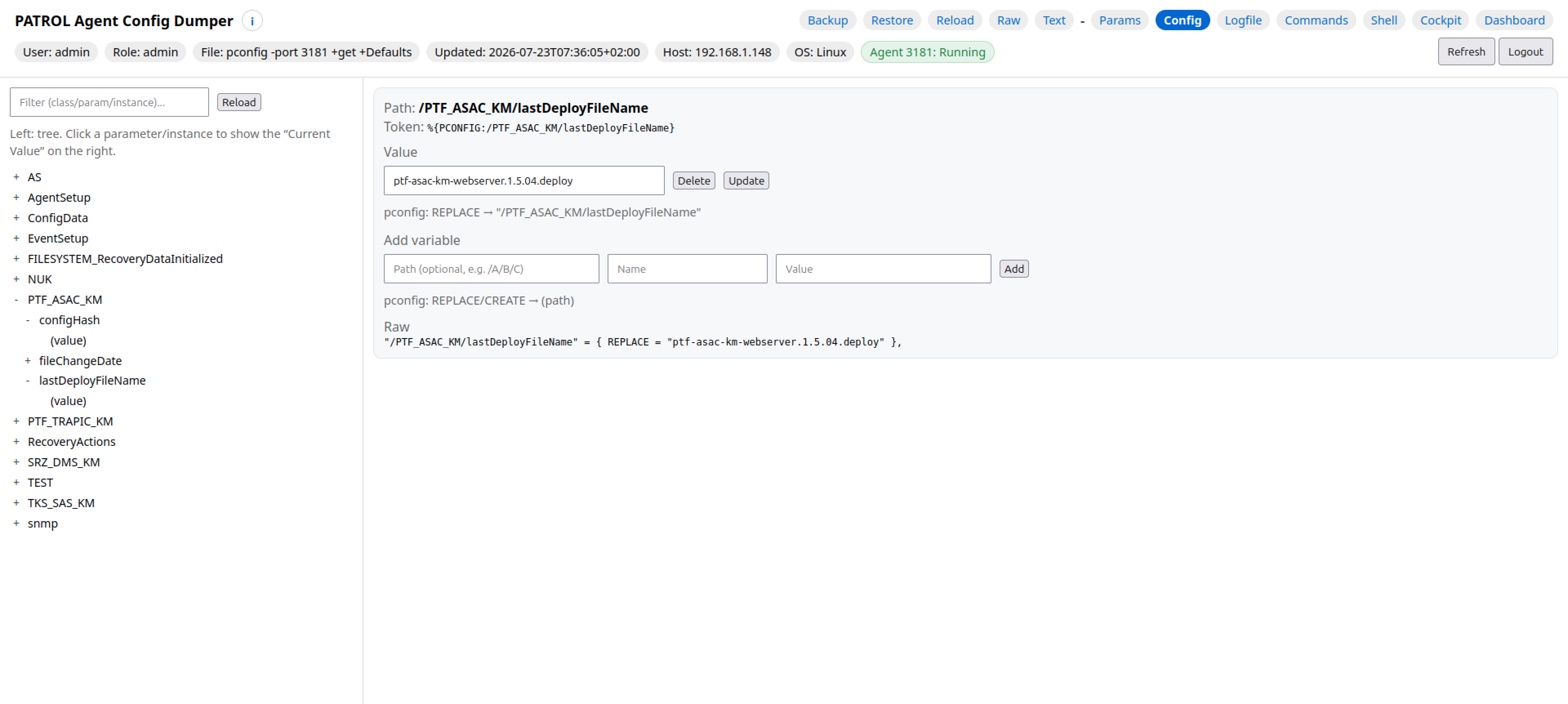
PATROL Agent Setup
Parameter Dumper
Config Dumper
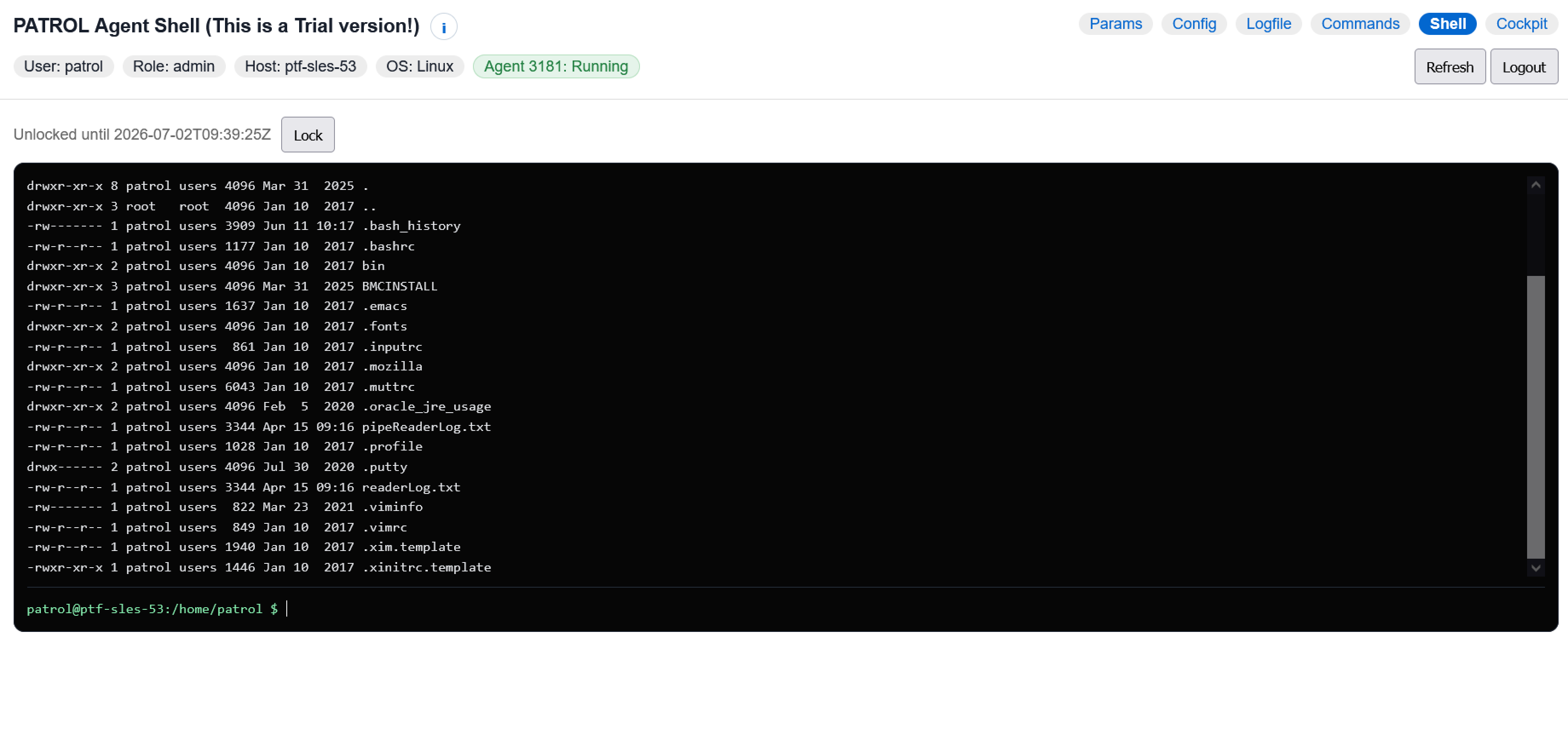
Shell on a Linux System
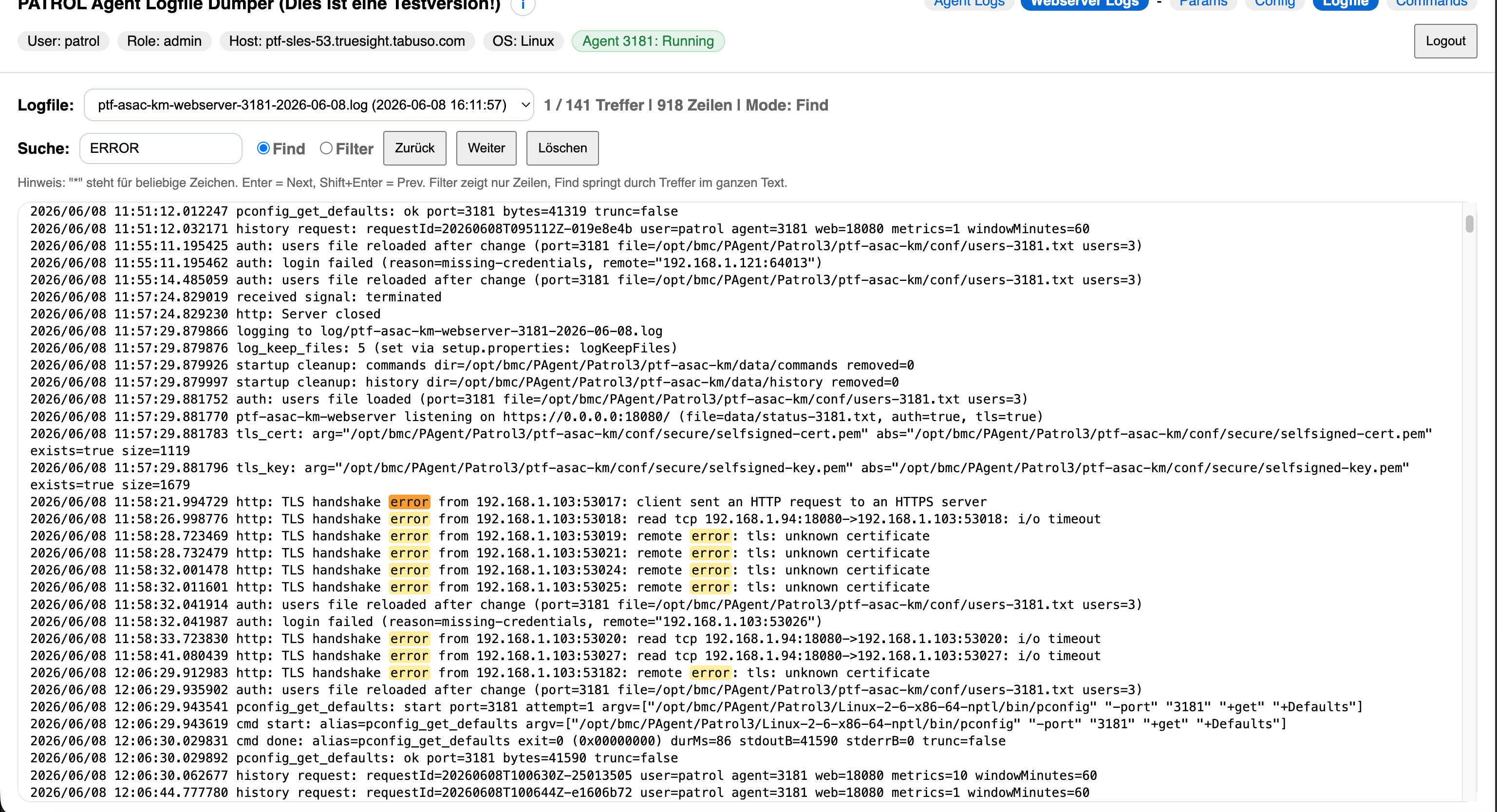
Logfile Dumper with Webserver Log and Find

Logfile Dumper with Find
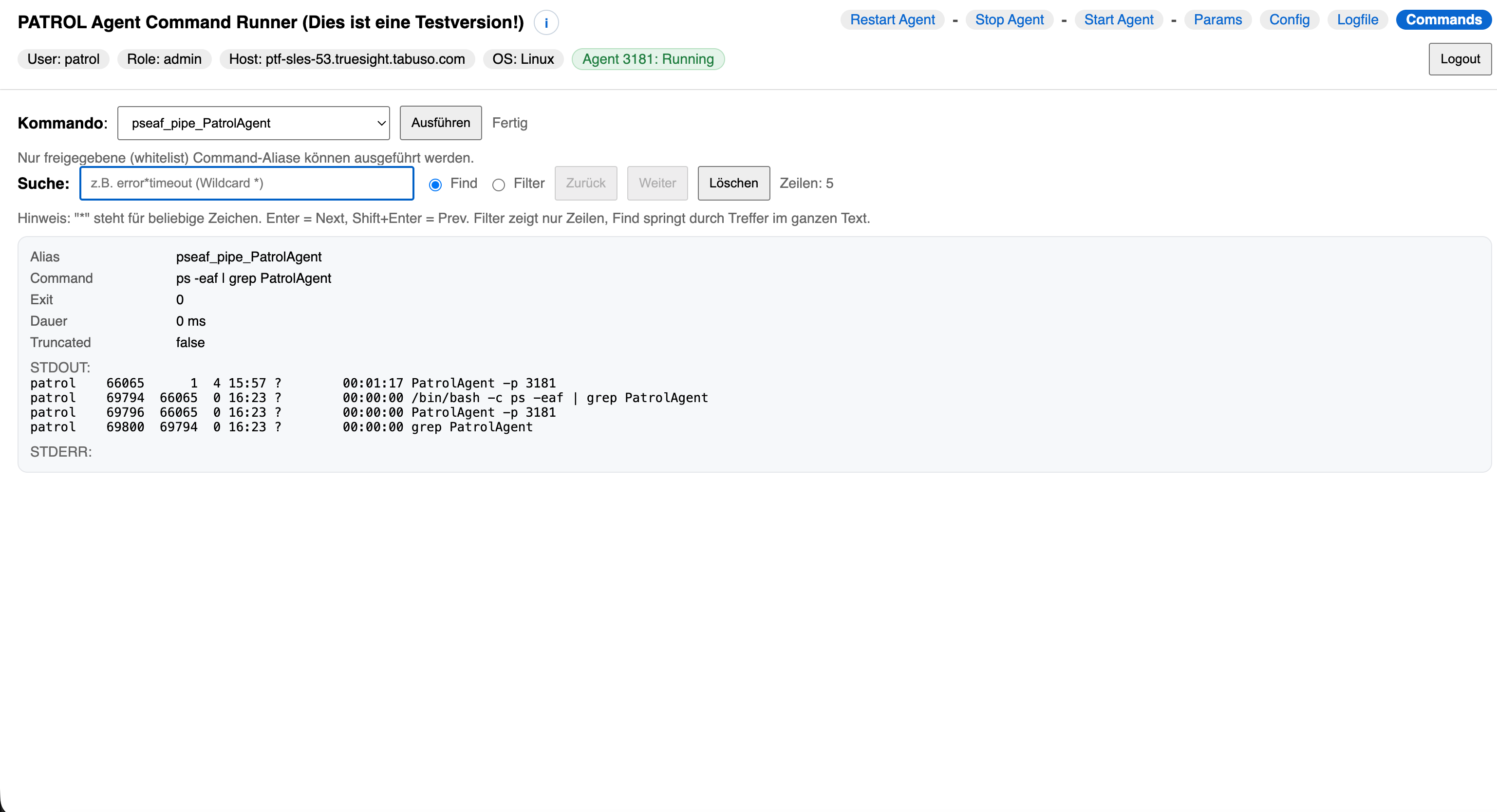
Command Runner with ps Command

Cockpit
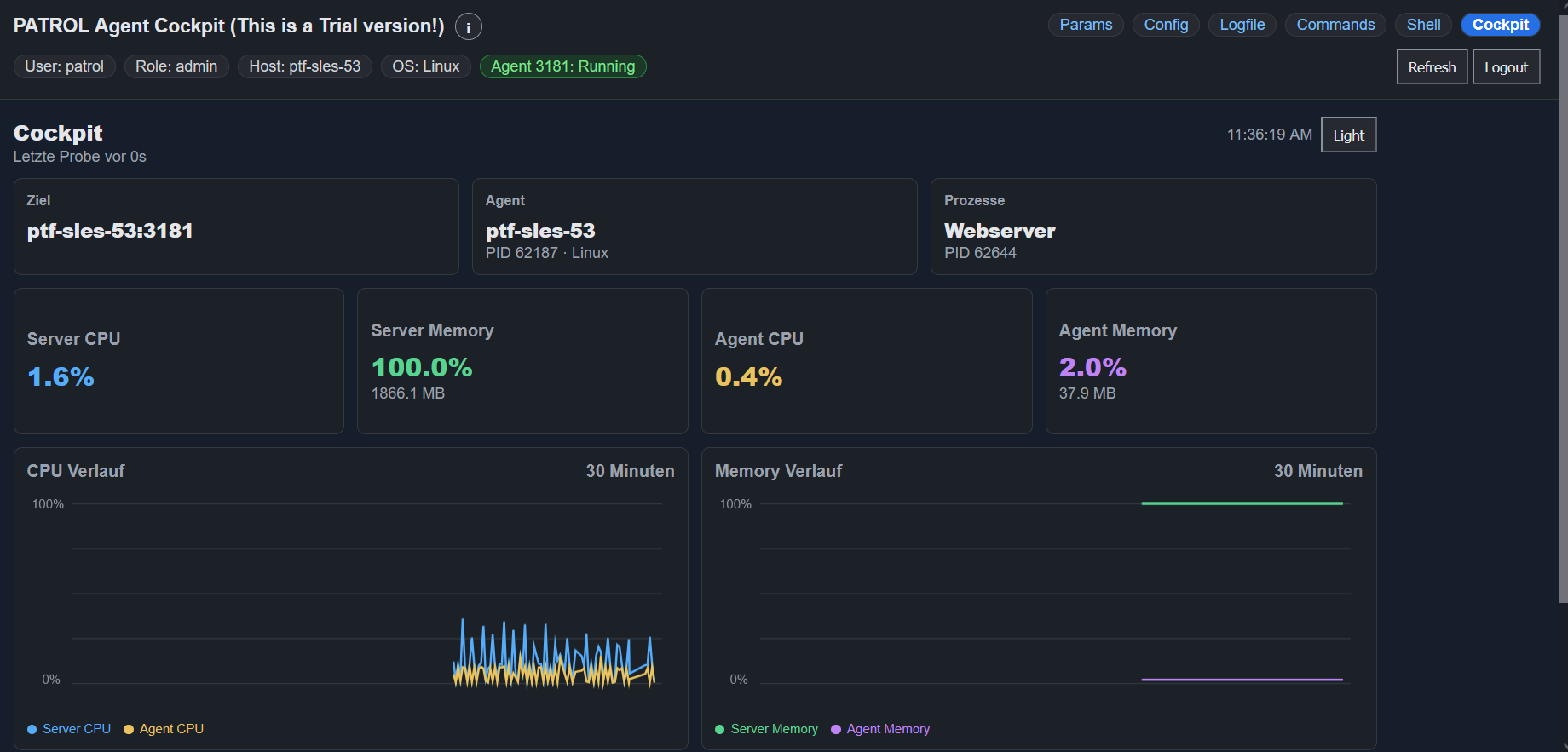
Cockpit in Dark Mode

Dashboard Designer
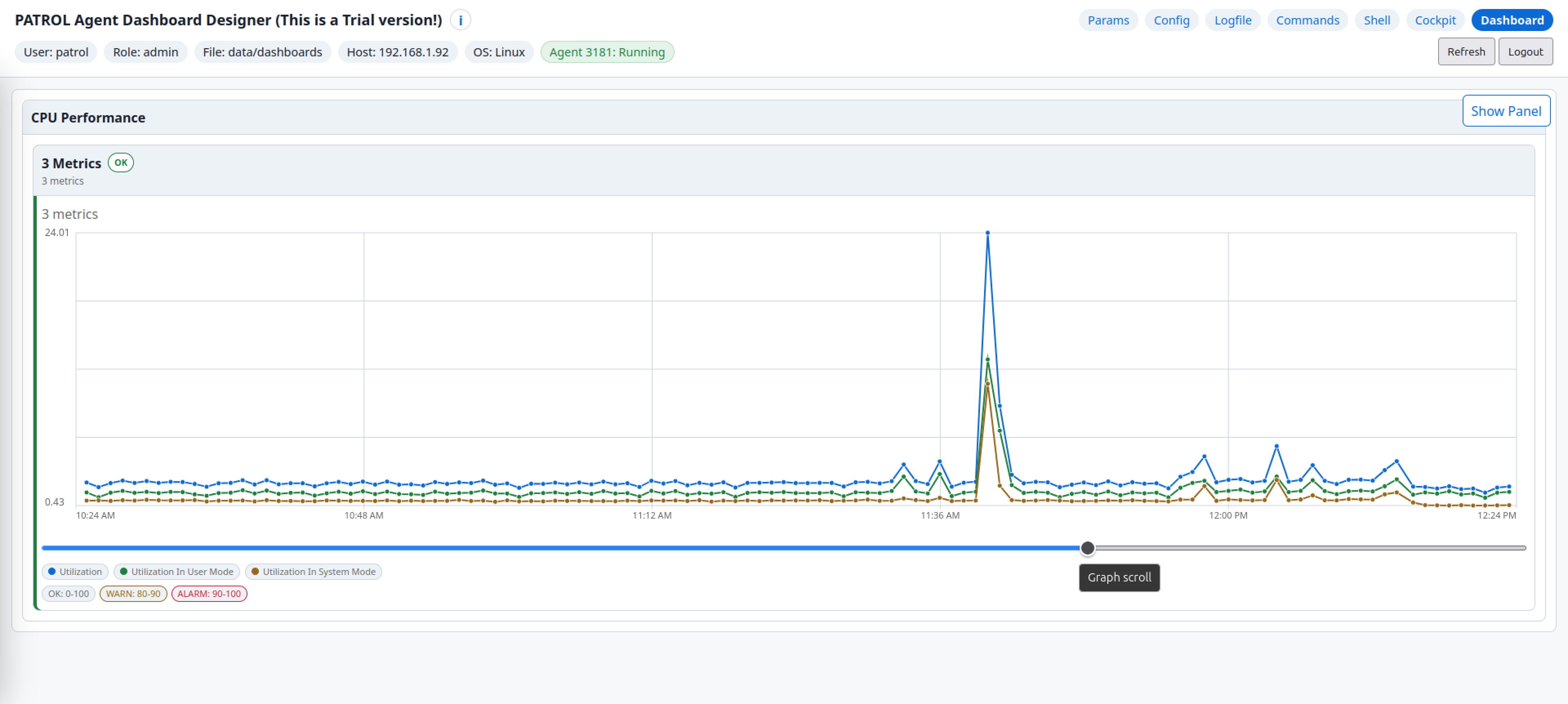
Dashboard Designer Live Mode